Course description

Master Office Applications and Boost Your Career!

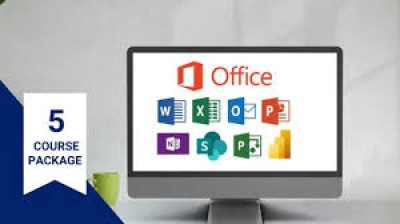
Step into the digital workplace with confidence! In this hands-on course, you’ll learn to expertly use essential office software like Microsoft Word, Excel, PowerPoint, and more. Create professional documents, manage and analyze data, and design stunning presentations that stand out.

Whether you’re a student, job seeker, or professional, this course equips you with the practical skills employers are looking for. Gain a competitive edge, improve productivity, and open doors to exciting career opportunities.

Why Join This Course?

  • Learn through practical, real-world projects.

  • Develop skills that are in high demand.

  • Boost your employability and confidence in any workplace.

  • Flexible learning designed for beginners and intermediate users.

Enroll now at CTIA School of Technology and transform your digital skills into career success!

What will i learn?

  • By the end of this course, students will be able to:
  • Create Professional Documents – Design and format reports, letters, and other documents in Microsoft Word.
  • Manage and Analyze Data – Use Microsoft Excel to organize, calculate, and visualize data effectively.
  • Design Impactful Presentations – Develop engaging presentations using PowerPoint with charts, animations, and visuals.
  • Increase Workplace Productivity – Apply office applications efficiently to complete tasks faster and smarter.
  • Boost Employability – Gain practical skills that are highly valued by employers across industries.
  • Work Confidently in a Digital Environment – Navigate and utilize essential office software for academic and professional success.
  • Optional Classroom Experience: Students attending in-person lessons will also benefit from hands-on guidance, interactive exercises, and real-time feedback.

Requirements

  • For Online Learning, Internet Connection – For downloading course materials and updates (if online resources are provided).
  • Note: We offer both classroom and online lessons, so you can choose the learning style that suits you best!

Frequently asked question

A: Anyone interested in learning essential office software—students, job seekers, or professionals wanting to improve their digital skills. No prior experience is required.

A: You’ll master Microsoft Word, Excel, PowerPoint, and other popular office tools for creating documents, managing data, and making presentations.

A: Yes! You’ll work on practical exercises and real-world projects to build skills you can use immediately.

A: The course duration is [insert duration, e.g., 3 - 6 months, designed to fit busy schedules.

A: Yes! Upon completion, you’ll receive a CTIA School of Technology Certificate to showcase your skills.

A: Absolutely! Office application skills are highly valued by employers, and this course prepares you for professional tasks in any workplace.

ctia uganda

Technologist

Professional and experienced Technologist.

USh650000

Lectures

1

Quizzes

2

Skill level

Beginner

Expiry period

Lifetime

Related courses